
Restaurant POS software for Pakistan — dine-in, delivery & drive-thru.
Take orders at the counter, table, or over the phone and route them straight to the kitchen — with FBR-compliant digital invoicing, offline mode, self-service kiosks, and multi-branch reporting built in, not bolted on.
- Setup
- 1–2 days
- Training
- On-site
- Support
- English
Who this is for
Built for food businesses where orders can't wait.
This is the right system if you run a quick-service counter where the line backs up at lunch, a dine-in restaurant where tables sit too long waiting for the bill, a cloud kitchen juggling three delivery channels at once, or a dessert/bakery counter where the same menu sells in-store, on-call, and through aggregators.
It scales from a single busy branch to a national chain without changing software — the same terminal view a waiter uses in one shop is what a regional supervisor watches across twenty.
- QSR & fast food
- Dine-in restaurants
- Cloud kitchens
- Bakeries & dessert counters
Core capabilities
What it actually does on the floor.
Eight capabilities every restaurant deployment relies on daily — stated plainly, paired with a small visual of the part of the system each describes.
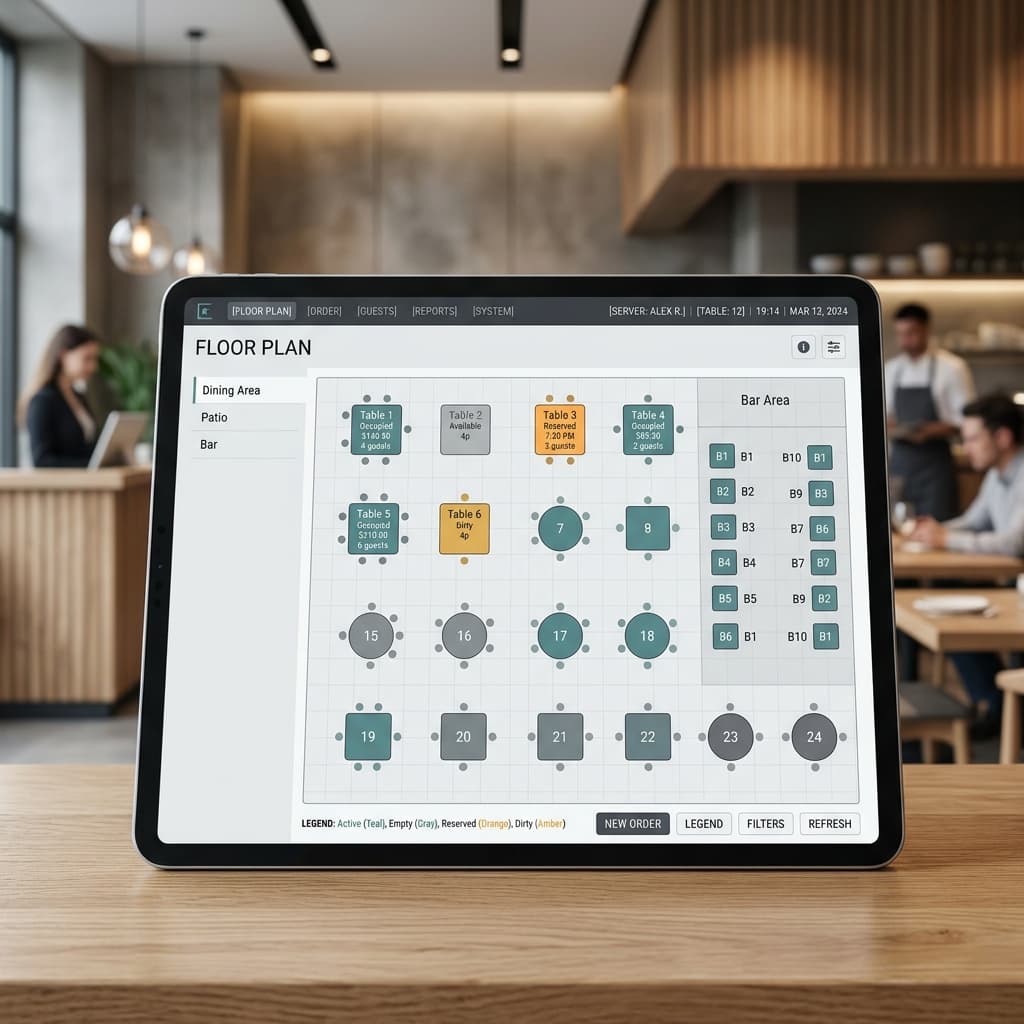
Table & floor management
A visual floor plan that mirrors your actual dining room — zones, merged tables, and split covers included. Staff see which tables are seated, waiting for food, or due for a bill, so nothing sits forgotten. State stays in sync across every terminal and handheld.
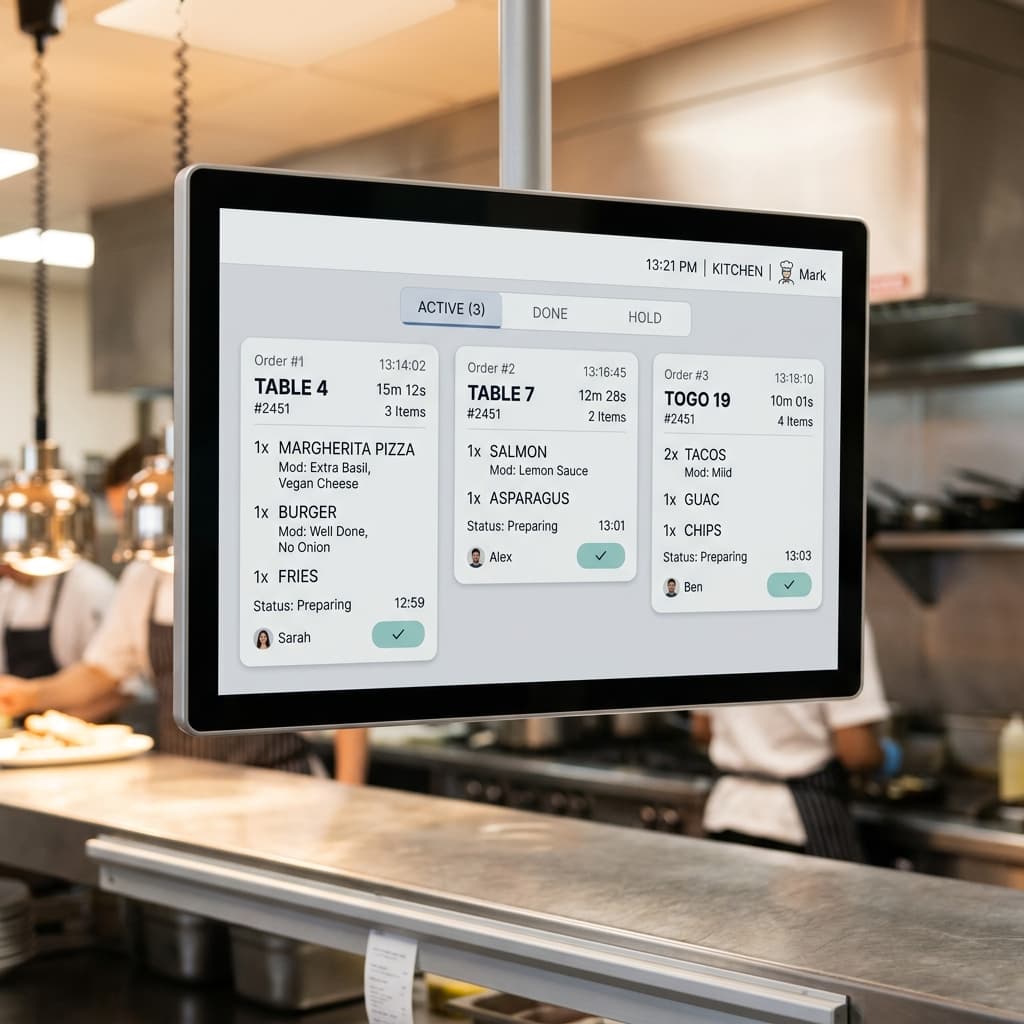
Dine-in, takeaway & delivery on one order book
Every channel lands in the same queue — no re-keying phone orders or printing aggregator tickets by hand. Delivery runs carry rider assignment and timing, takeaways get a pickup counter view, and dine-in orders route straight to the kitchen.
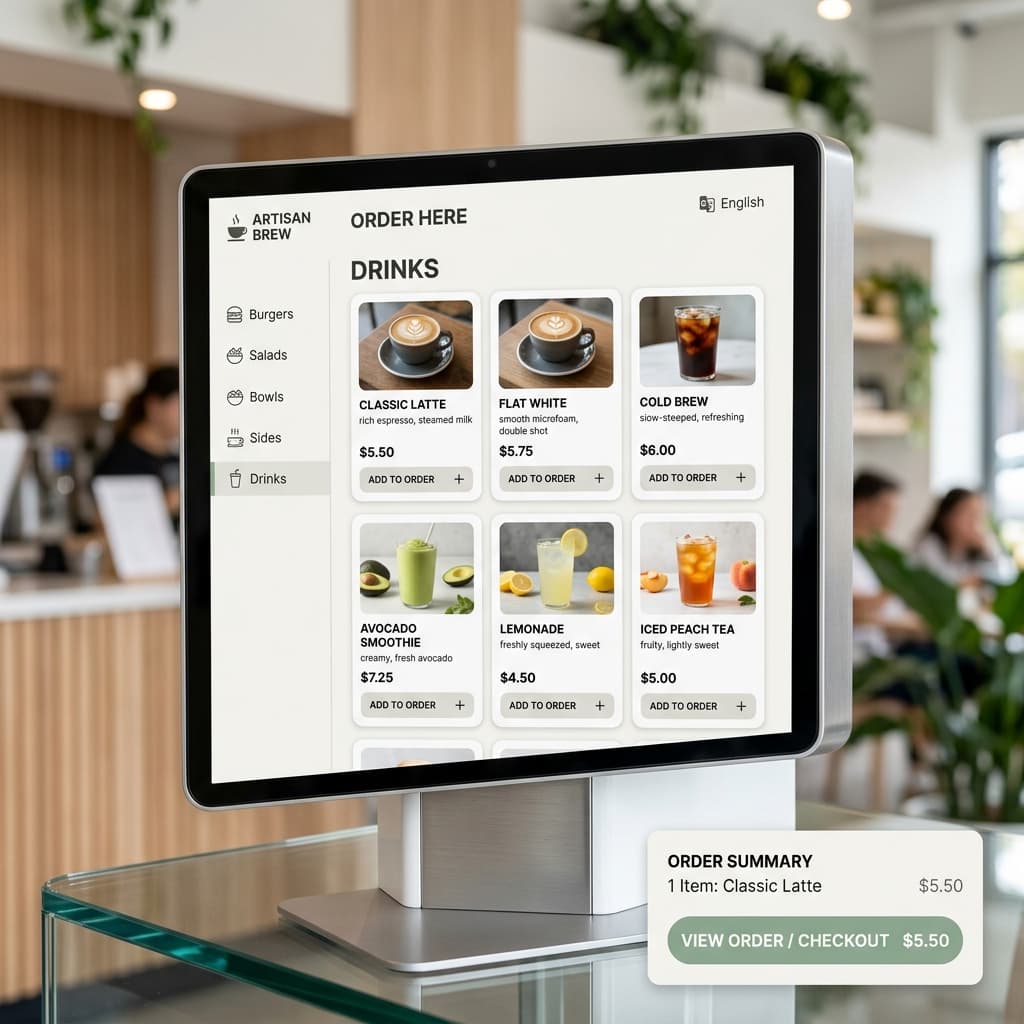
Menu engineering with real control
Modifiers, combos, sizes, and item-level pricing by time of day or by branch. Kitchen notes (spice level, allergies, no-onion) print or route to the KDS exactly where they need to be read, not buried in a footer line.
Order routing to kitchen stations
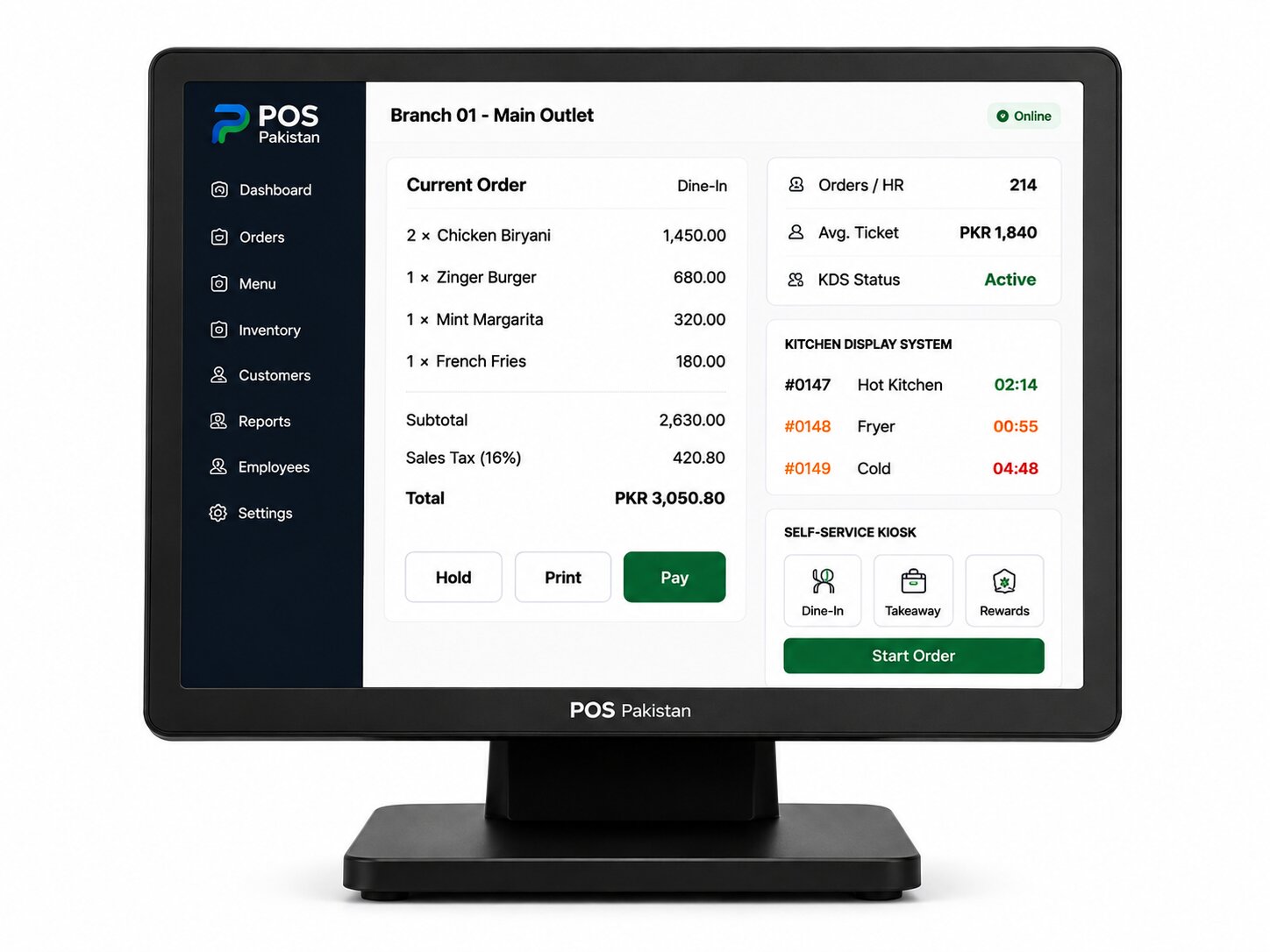
Grill, fryer, cold station, and beverage station each receive only their own items, on their own screen or printer, in the order they need to fire. A change at the counter — add, remove, split — updates every station instantly.
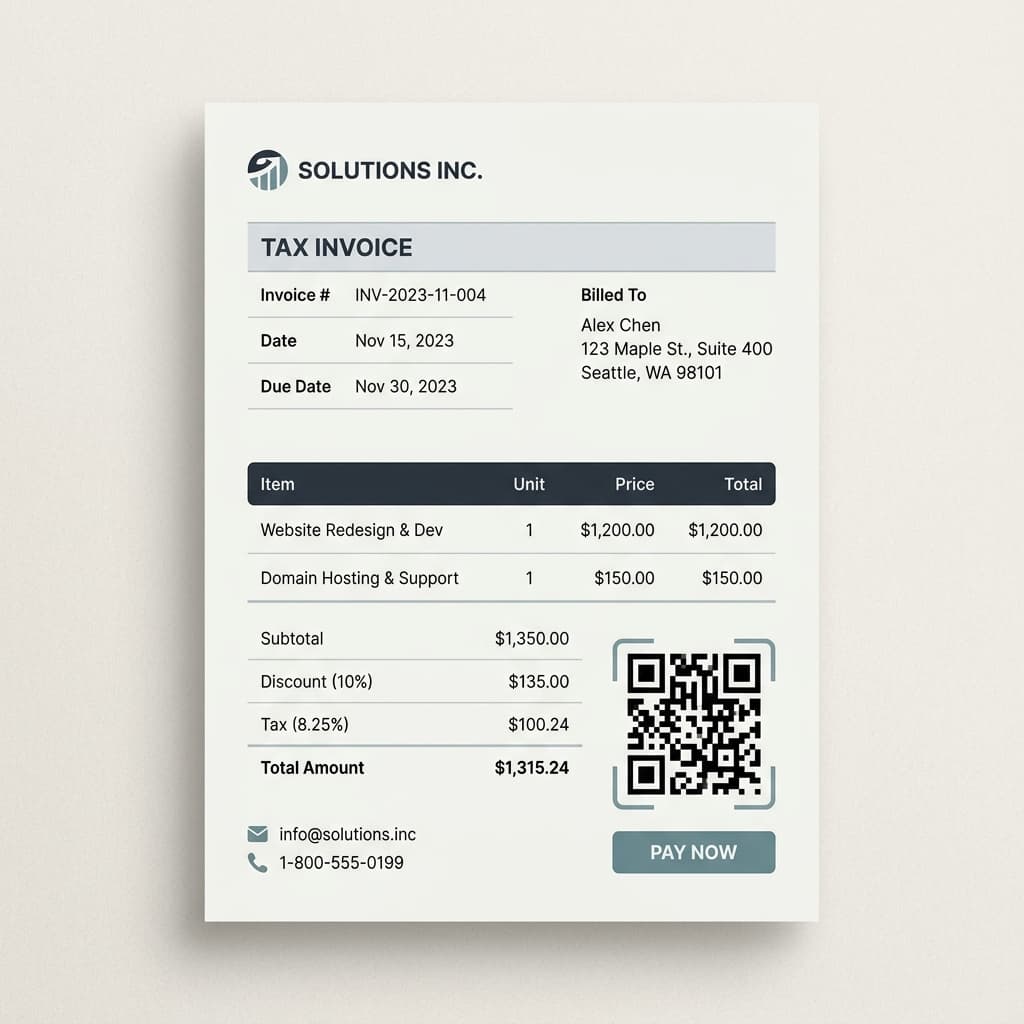
FBR digital invoicing, built-in
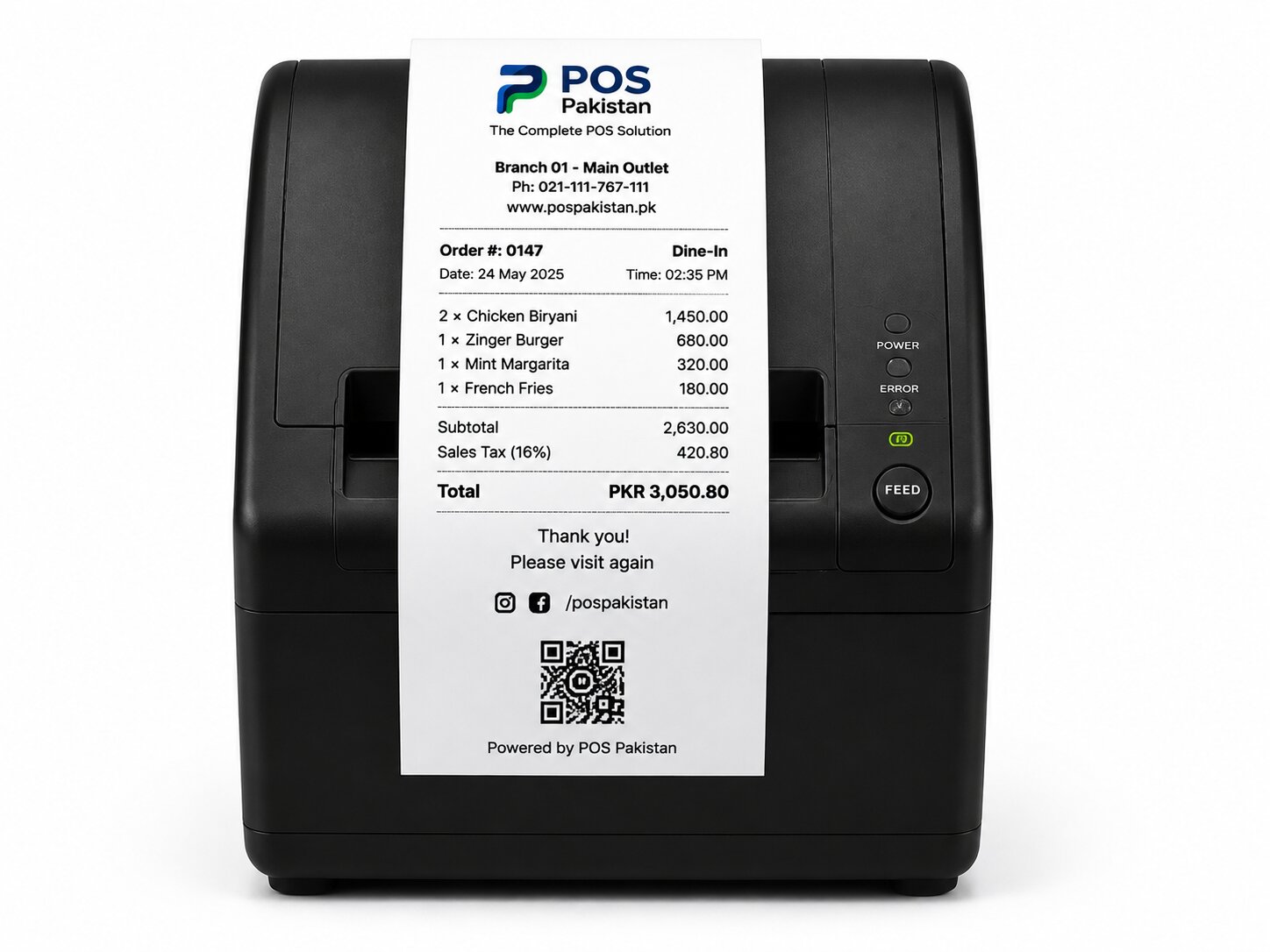
Every sale posts to FBR digital invoicing with the required QR code printed on the customer receipt — a legal requirement for Tier-1 retailers and restaurants in Pakistan, handled without a separate billing terminal.
Offline mode with automatic sync
Internet outages don't stop service. Billing, printing, and KDS keep running on the local network, and orders, payments, and inventory reconcile automatically as soon as the connection returns.
Payments your customers actually use
Cash and card by default, plus mobile wallets and bank QR (JazzCash, Easypaisa, and local schemes) at the same terminal. Split payments and partial refunds are handled at the counter.
Multi-branch visibility for owners
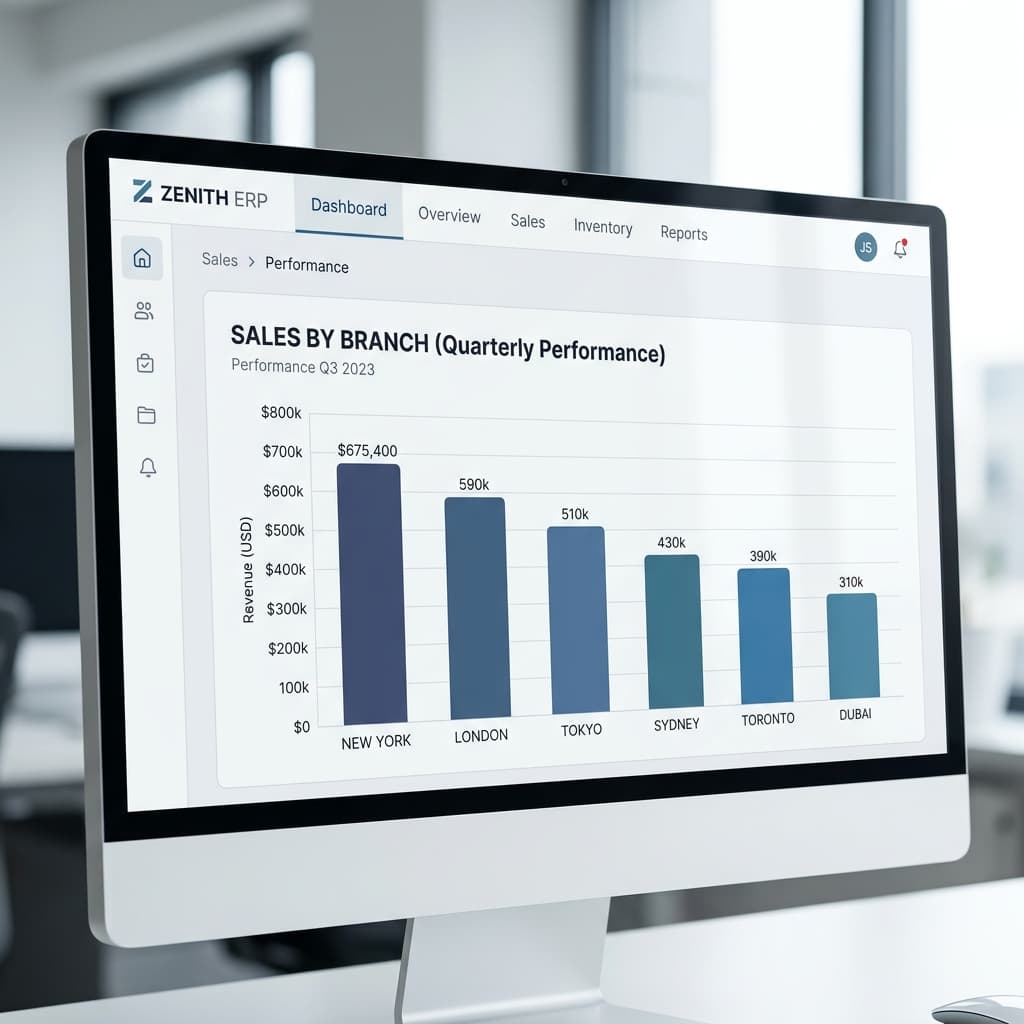
One dashboard shows sales, top items, voids, and staff activity across every branch, updated in near real time. Owners running two locations or twenty see the same live picture, not yesterday's export.
Platform
How Restaurant POS connects to the rest of the platform
Restaurant POS is not a standalone app — every event on a terminal updates the modules your other teams rely on. No re-keying, no end-of-day exports.
- KDS
Orders route to the right kitchen station the moment they're taken, with live prep-time tracking instead of a printer queue.
- ERP
Every sale deducts ingredients from inventory and posts to accounting across all branches automatically.
- Invoicing
Every receipt is an FBR-integrated digital invoice with the required QR code — no separate billing terminal.
- Hardware
Runs on terminals, printers, KDS screens, handhelds, and self-service kiosks configured and warrantied by us.
- Drive-Thru
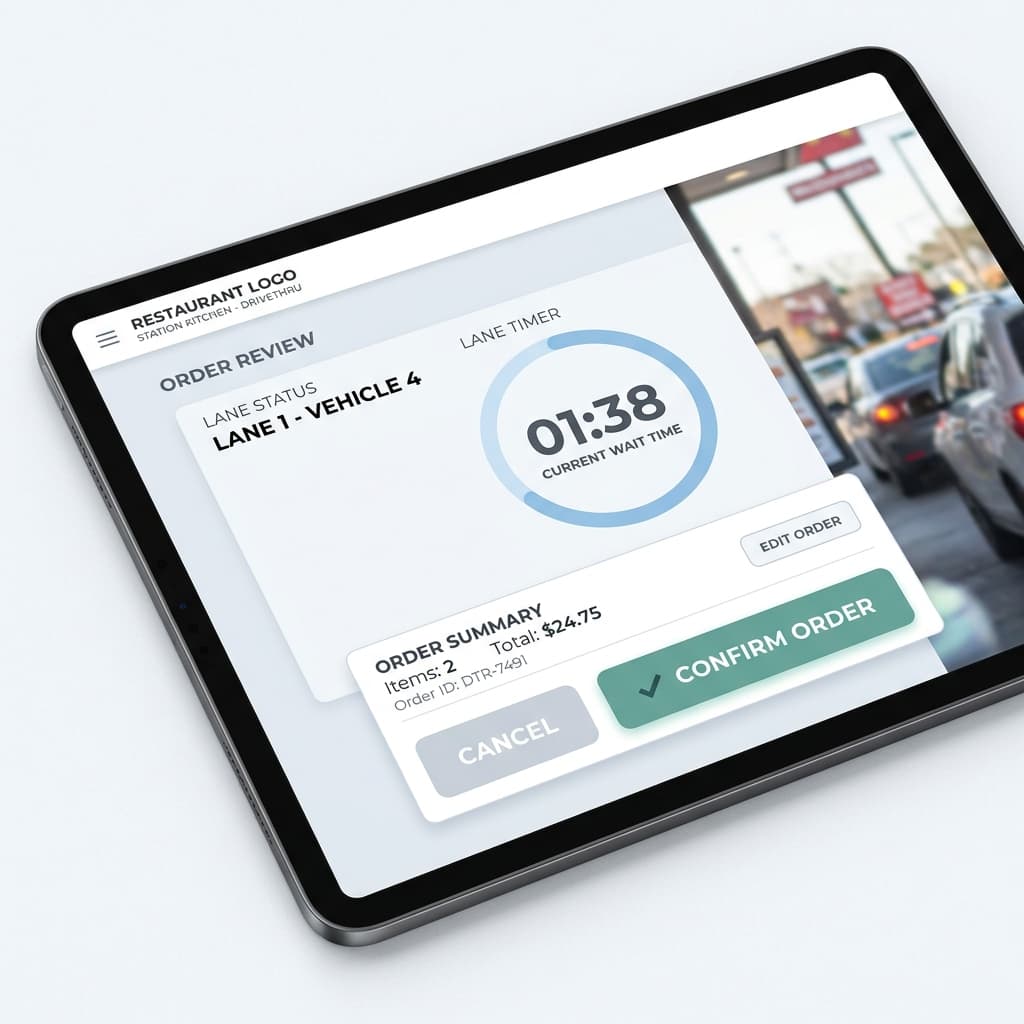
The same order book powers drive-thru lanes with order-confirmation boards and speed-of-service tracking.
Compliance & local-market fit
Made for how restaurants actually operate in Pakistan.
FBR digital invoicing & tax handling
Integrated sales tax invoicing per FBR's digital invoicing requirements, including the printed QR code on customer receipts. Sales tax categories (GST, PRA / SRB / KPRA / BRA) are configured per province and per item so multi-province chains file correctly.
Local networks, local payments, local support
- Offline-first operation on a local network — no cloud dependency mid-service.
- Cash, card, and local mobile-wallet / QR payment support (JazzCash, Easypaisa, and local bank QR).
- On-site installation and English training for floor staff.
- Phone and WhatsApp support during operating hours.
Hardware compatibility
Runs on hardware we supply, warrant, and install.
One vendor for software and hardware means one support call when a station goes down. Full catalog and spec sheets at /hardware.
| Device | Used for | Typical spec |
|---|---|---|
| Touch POS terminal | Counter billing + server station | 15.6" · Android/Windows |
| Thermal receipt printer | Customer receipts (FBR QR) | 80mm / 58mm |
| Kitchen printer / KDS screen | Order routing per station | Impact / 19-24" display |
| Cash drawer | Secure float + shift close | RJ11 · 5-note |
| Handheld ordering device | Tableside ordering | Android · Wi-Fi |
| Customer-facing display | Order confirmation at counter | 7-10" |
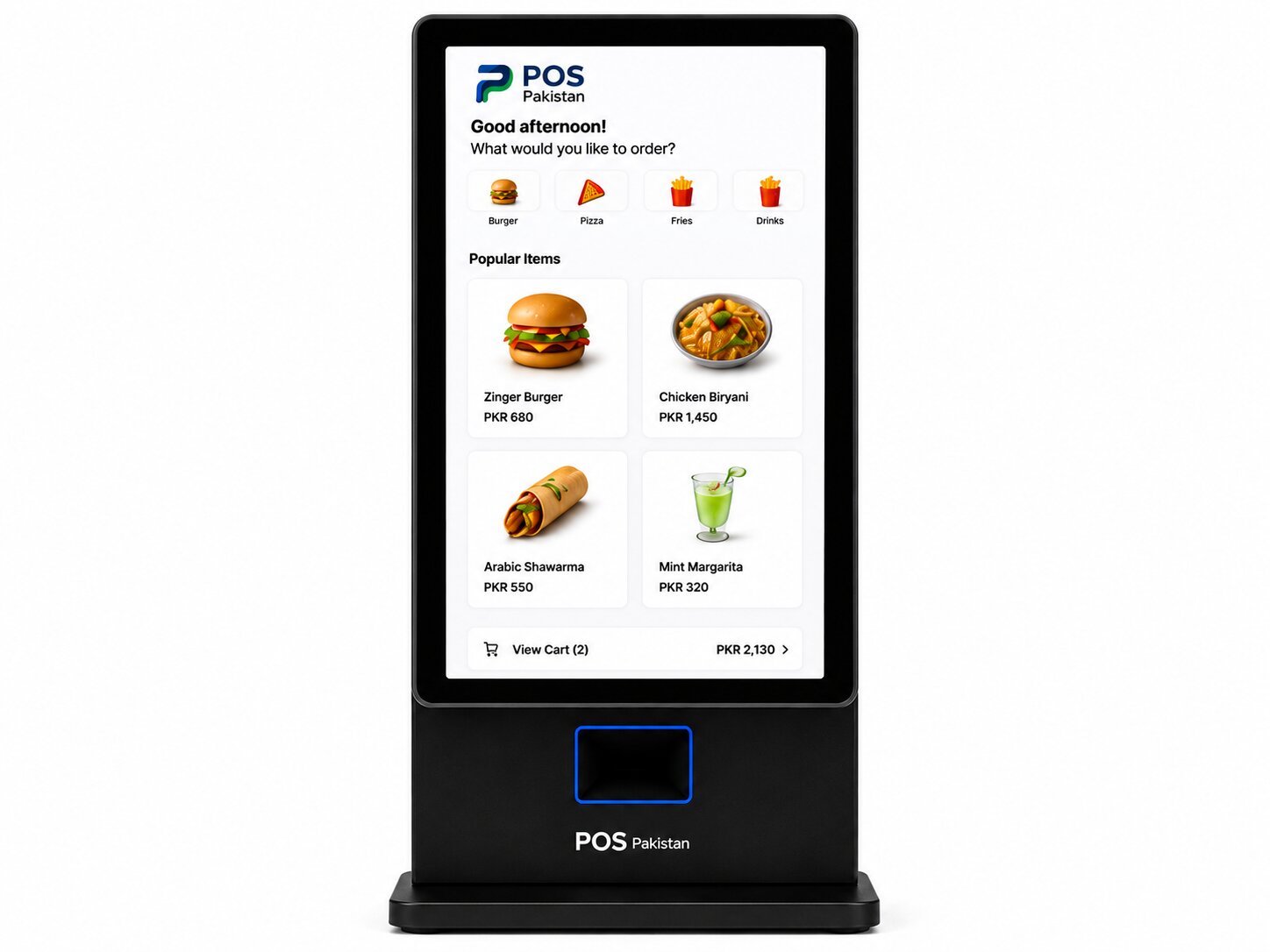
| Self-service kiosk | Walk-up ordering in QSR / food court | 21.5" · card + QR |
FAQ
Frequently asked questions
Straight answers on pricing, deployment, and compliance. For anything not covered, send us a message — we reply within one business day.
Is this restaurant POS software FBR-compliant?
Can my staff take orders on their own phones or tablets?
Do you support online orders and food aggregators?
What hardware do I need to get started?
How much does it cost?
What happens if the internet goes down during service?
Related pages
Deeper reading
See it on your data
See the system take, route, and close an order live.
A working demo on real terminals and a KDS screen — or a call to scope the right setup for your restaurant.